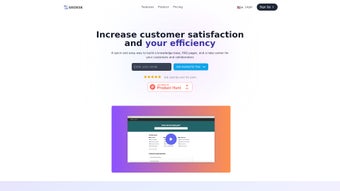

Download Siedesk – AI‑Powered Knowledge Base & FAQ Builder
Overview: Why Siedesk Is Changing the Knowledge‑Management Landscape
In today’s fast‑paced business environment, customers expect instant answers and employees need quick access to accurate information. Siedesk steps into this gap as an AI‑driven web application that lets companies create, organize, and publish knowledge bases and FAQ pages with minimal effort. Powered by GPT technology, the platform not only suggests clear, concise wording but also optimizes each article for search engines, helping your help center rank higher on Google.
The intuitive drag‑and‑drop editor removes the steep learning curve typical of traditional knowledge‑base tools, while built‑in analytics reveal how users interact with your content—tracking searches, article views, and feedback in real time. This feedback loop lets you refine documentation continuously, reducing repetitive support tickets and boosting overall customer satisfaction. Siedesk also supports full brand customization, allowing you to match colors, fonts, and layouts to your corporate identity, and it provides a free SSL certificate to guarantee data security during every interaction.
Whether you run a startup, a mid‑size SaaS company, or a large enterprise, Siedesk consolidates internal and external queries into a single, searchable hub, making it easier for support agents to resolve issues and for users to find answers on their own. The platform’s SEO‑focused architecture further ensures that the knowledge you publish becomes discoverable both within your site and across the web, turning your help center into a powerful inbound marketing asset.
Key Features That Power Seamless Knowledge Management
- AI‑Assisted Content Creation: GPT‑based suggestions help write clear, concise articles in seconds.
- Customizable Help Center: Brand‑aligned themes, fonts, and layout options without any coding.
- Real‑Time Analytics Dashboard: Monitor searches, article views, and user feedback to improve content relevance.
- SEO Optimization Engine: Automatic meta‑tag generation and keyword recommendations for higher visibility.
- Secure Free SSL Certificate: End‑to‑end encryption protects both customer data and internal documentation.
- Multi‑Channel Publishing: Export knowledge articles to web, mobile apps, or embed directly into existing portals.
- Role‑Based Permissions: Control who can create, edit, or publish content within your organization.
- Integrated Search with Auto‑Complete: Fast, AI‑enhanced search that surfaces the most relevant articles instantly.
- Feedback Loop: Users can rate articles and leave comments, feeding directly into the improvement cycle.
- Multi‑Language Support: Create and manage content in several languages from a single interface.
Installation, Usage & Compatibility – Getting Started in Minutes
Siedesk is a cloud‑native SaaS solution, which means there is no traditional “installation” on your local machines. Getting started is as simple as signing up on the official website, confirming your email, and entering your company details. After the initial onboarding wizard, you are guided through the creation of your first knowledge base: choose a template, define categories, and let the AI suggest article outlines based on your input. The platform runs entirely in the browser, so it is compatible with all modern operating systems, including Windows 10/11, macOS Ventura and later, as well as Linux distributions that support recent versions of Chrome, Edge, or Firefox. Mobile users can also access the admin console via responsive design on Android 8+ and iOS 13+ devices, allowing on‑the‑go edits.
Once your base is live, the intuitive editor lets you add text, images, videos, and embed code snippets with a single click. The AI assistant appears on the right side, offering phrasing improvements, keyword suggestions, and compliance checks. When you publish, Siedesk automatically generates a secure HTTPS URL and updates the sitemap for SEO crawlers.
The built‑in analytics pane updates in real time, showing heat maps of popular search terms and drop‑off points where users struggle to find answers. For teams that already use ticketing systems like Zendesk or Freshdesk, Siedesk offers native integrations that pull unresolved tickets into a “knowledge gap” report, prompting you to create new articles that address recurring issues. The platform also supports single sign‑on (SSO) via SAML or OAuth, making it easy to align with corporate security policies.
Pros:
- Fast AI‑driven content creation reduces authoring time.
- All‑in‑one dashboard for analytics, SEO, and customization.
- Secure cloud hosting with free SSL and GDPR‑compliant data handling.
- Responsive design works on desktop and mobile browsers.
- Easy integration with popular support ticket tools.
Cons:
- Limited offline access; requires internet connectivity.
- Advanced customization may need CSS knowledge for deep branding.
- Pricing tiers for higher search limits are not disclosed publicly.
Compatible Operating Systems: Windows 10/11, macOS Ventura+, Linux (Chrome/Firefox), Android 8+, iOS 13+.
FAQ and Final Thoughts – Your Questions Answered & Next Steps
Is Siedesk a free tool or does it require a subscription?
Siedesk offers a free tier that includes basic article creation, SSL, and limited analytics. Advanced features such as AI‑enhanced SEO recommendations, unlimited searches, and premium integrations are available through paid subscription plans.
Can I migrate existing knowledge base content into Siedesk?
Yes. Siedesk provides CSV and JSON import tools that let you transfer articles, categories, and metadata from other platforms. The migration wizard also maps tags and redirects to preserve SEO equity.
How does the AI assistance handle industry‑specific terminology?
The underlying GPT model can be fine‑tuned with custom glossaries. You can upload a list of preferred terms, acronyms, and brand‑specific language, ensuring the AI suggestions stay consistent with your industry standards.
Is there a way to track which articles reduce support tickets?
The analytics dashboard links article views to ticket volume. By enabling “ticket correlation,” you can see a direct reduction in tickets after publishing or updating specific articles, helping you prioritize high‑impact content.
What security measures protect my knowledge base data?
Siedesk uses end‑to‑end encryption with a free SSL certificate, stores data in ISO‑27001‑certified data centers, and supports SSO, MFA, and role‑based access control to meet enterprise security standards.
Conclusion & Call to Action
Siedesk delivers a compelling blend of AI‑assisted authoring, robust analytics, and secure, SEO‑ready publishing—all wrapped in a user‑friendly interface that scales from small teams to large enterprises. If you’re looking to cut support costs, improve self‑service rates, and turn your help center into an SEO asset, Siedesk is worth a closer look. Download Siedesk today and experience a faster, smarter way to manage knowledge.
Siedesk excels at reducing the time spent on knowledge‑base creation thanks to its AI suggestions, while its analytics give teams the insight needed to keep content relevant. The only drawback is the lack of offline capability, which may be a concern for remote teams with limited connectivity.
Rating: 4.5/5
Reviewed by TechInsights Editorial Team



.png)



